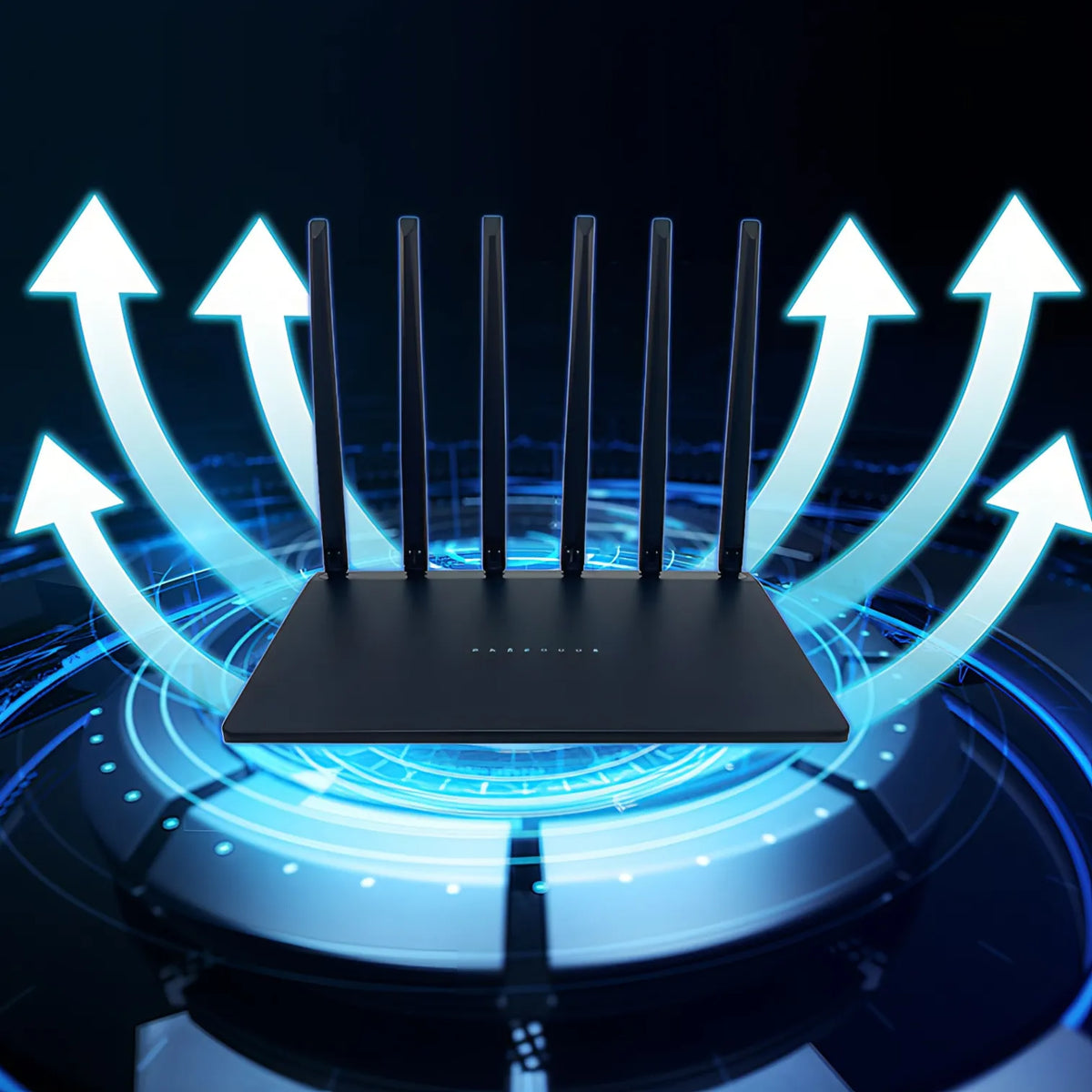
Bytech Wifi Router
Bytech Wifi Router
Couldn't load pickup availability

Product Specifications
Product Specifications
Shipping Information
Shipping Information
Returns & Refund Policy
Returns & Refund Policy
Bytech Wifi Router – AX3000 WiFi 6 Dual-Band Router with 6 High-Gain Antennas, Gigabit Ethernet & WPA3 Security
Faster Connections. Wider Coverage. A Smarter Home Network with Bytech Wifi Router
Your home internet should keep up with everything you do. From streaming 4K entertainment and working remotely to online gaming, video calls and connected smart-home devices, a reliable wireless network has become essential.
The Bytech Wifi Router is designed to deliver fast, efficient and dependable connectivity throughout your home. Combining WiFi 6 technology, dual-band wireless performance, six 5dBi high-gain antennas, OFDMA, MU-MIMO, WPA3 security and Gigabit Ethernet connectivity, this router provides the foundation for a more responsive home network.
Powered by an MT7981B processor, the Bytech Wifi Router helps manage multiple connected devices while improving wireless efficiency and reducing unnecessary network congestion.
Whether you're replacing an older router, upgrading your broadband setup or connecting more devices around your home, the Bytech Wifi Router brings modern networking technology into one powerful solution.
Why Choose the Bytech Wifi Router?
Advanced WiFi 6 Technology for Modern Connected Homes
The Bytech Wifi Router combines speed, coverage, security and intelligent traffic management to support today's demanding internet activities.
Key Features
- WiFi 6 (802.11ax) wireless technology
- AX3000-class dual-band performance
- 2.4GHz and 5GHz wireless connectivity
- Six 5dBi high-gain omnidirectional antennas
- OFDMA technology for efficient data transmission
- MU-MIMO for multiple connected devices
- Up to 128 supported device connections
- MT7981B high-performance processor
- WPA2 and WPA3 wireless encryption
- Built-in firewall functionality
- One Gigabit WAN port
- Three Gigabit LAN ports
- One-touch Mesh networking support
- App-based network management
- Bluetooth-assisted setup support
- Optimised heat-dissipation design
- 256MB RAM and 128MB flash memory
WiFi 6 Technology
Experience a More Efficient Wireless Connection
The Bytech Wifi Router uses WiFi 6, also known as IEEE 802.11ax, to improve how wireless data is transmitted between your router and compatible devices.
Compared with older WiFi generations, WiFi 6 introduces technologies designed to manage network traffic more efficiently, particularly when several devices are connected simultaneously.
What WiFi 6 Can Improve
Higher wireless capacity: Support more activity across a busy home network.
Better traffic management: Distribute available wireless resources more efficiently.
Lower network congestion: Help reduce unnecessary waiting between connected devices.
Improved responsiveness: Support demanding applications such as online gaming and video conferencing.
Modern compatibility: Connect WiFi 6 devices while maintaining support for older compatible WiFi standards.
The Bytech Wifi Router is built to make everyday internet use feel smoother, especially in households with numerous connected devices.
AX3000-Class Dual-Band WiFi
Two Wireless Bands for Different Everyday Needs
The Bytech Wifi Router supports both 2.4GHz and 5GHz wireless frequencies, giving you flexibility when connecting different types of devices.
2.4GHz – Greater Reach
The 2.4GHz band is useful for devices located farther from the router or separated by walls.
It is particularly suitable for:
- Smart-home accessories
- Security cameras
- Smart plugs
- Everyday browsing
- Devices in more distant rooms
5GHz – Higher-Speed Connectivity
The 5GHz band is designed for higher wireless throughput at suitable distances.
It is ideal for:
- 4K streaming
- Online gaming
- Large downloads
- Video conferencing
- Laptops and computers
- High-bandwidth entertainment
By supporting both frequencies, the Bytech Wifi Router provides more flexibility for balancing speed and coverage.
Six High-Gain Antennas
Extend Wireless Coverage Around Your Home
Weak WiFi signals can make everyday activities frustrating, especially when moving between rooms.
The Bytech Wifi Router features six external 5dBi omnidirectional antennas, designed to distribute wireless signals across a wider area.
This antenna arrangement helps support connectivity in different parts of the home, including bedrooms, living rooms, home offices and other indoor spaces.
Benefits of Six High-Gain Antennas
- Wider wireless signal distribution
- More flexible router placement
- Improved connectivity opportunities across multiple rooms
- Support for devices at different distances
- Greater convenience in multi-device households
Actual coverage depends on your home's layout, construction materials, interference and router placement. No router can guarantee full coverage through every wall or floor.
Whole-Home Connectivity
Keep More Rooms Connected
The Bytech Wifi Router is designed for households where internet access is needed beyond the room containing the broadband connection.
Whether you're working upstairs, streaming in the living room or checking a connected device elsewhere in the house, the router's antenna system and WiFi 6 technology help maintain an efficient wireless network.
For particularly large properties or difficult layouts, compatible Mesh expansion may provide additional coverage.
Connect Up to 128 Devices
Built for Homes with More Connected Technology
A modern household can have far more connected devices than expected.
Smartphones, televisions, laptops, tablets, speakers, security cameras and smart-home accessories all compete for network resources.
The Bytech Wifi Router supports a stated capacity of up to 128 connected devices, making it suitable for households with extensive connectivity requirements.
Connect Your Everyday Devices
- Smartphones
- Tablets
- Laptops
- Desktop computers
- Smart TVs
- Gaming consoles
- Wireless speakers
- Smart lighting
- Security cameras
- Smart-home accessories
The maximum supported connection count is not a guarantee that all 128 devices can simultaneously run bandwidth-intensive applications at full speed.
OFDMA Technology
More Efficient Data Delivery Across Connected Devices
OFDMA, or Orthogonal Frequency Division Multiple Access, is one of the important technologies introduced with WiFi 6.
Instead of allocating an entire transmission opportunity to a single device, OFDMA can divide wireless resources into smaller units that serve multiple compatible devices more efficiently.
The Bytech Wifi Router uses this technology to help manage traffic when several devices need to communicate with the network.
Why OFDMA Matters
- More efficient use of available wireless bandwidth
- Improved performance in busy network environments
- Reduced unnecessary transmission delays
- Better support for multiple compatible devices
This can be particularly useful in households where many devices are active throughout the day.
MU-MIMO Technology
Support Multiple Devices More Efficiently
The Bytech Wifi Router also supports MU-MIMO technology.
MU-MIMO allows compatible wireless equipment to communicate with multiple devices more efficiently rather than handling every connection in a strictly sequential manner.
This is beneficial when several household members are using the internet for different activities.
One person can be streaming entertainment while another attends a video meeting and someone else browses or plays an online game.
MT7981B Processor
Processing Power Behind Your Home Network
The Bytech Wifi Router is powered by the MT7981B processor, designed to manage networking operations and connected-device traffic.
The processor works alongside the router's wireless hardware and memory to support network routing, wireless management and everyday data transmission.
Designed for Demanding Home Use
- Multi-device connectivity
- Wireless traffic management
- Network security functions
- Wired and wireless data handling
- Efficient everyday operation
A capable processor is especially important when a household relies on its network for several activities at once.
Bytech Wifi Router for 4K Streaming
Enjoy Entertainment with Fewer Network Interruptions
High-resolution streaming requires a consistent internet connection.
The Bytech Wifi Router combines WiFi 6 technology with a high-speed 5GHz band to support demanding entertainment applications.
Whether you're watching films, streaming television or enjoying online video, the router is designed to provide the wireless capacity needed for modern entertainment.
Streaming quality will also depend on your broadband speed, device capability, signal strength and the streaming service.
Bytech Wifi Router for Online Gaming
Responsive Connectivity for Competitive Play
Online gaming benefits from stable connections and efficient network traffic handling.
The Bytech Wifi Router uses WiFi 6, OFDMA and MU-MIMO to help manage network activity when multiple devices are connected.
For gaming consoles and desktop computers located near the router, a Gigabit Ethernet connection can offer a more consistent wired alternative.
Gaming Connectivity Features
- WiFi 6 wireless efficiency
- High-speed 5GHz connectivity
- Gigabit wired LAN ports
- Multi-device traffic management
- Stable local networking hardware
Actual gaming latency depends on your broadband provider, server location, network congestion and connection type.
Bytech Wifi Router for Working from Home
Reliable Connectivity for Your Daily Work
Video meetings, cloud applications, online collaboration and large file transfers all depend on a dependable network.
The Bytech Wifi Router is designed to support modern remote-working environments with dual-band WiFi and Gigabit wired connectivity.
Connect a compatible laptop wirelessly or use Ethernet for a fixed workstation.
This flexibility makes it useful for home offices where performance and reliability matter.
Gigabit Ethernet Connectivity
High-Speed Wired Connections When Stability Matters
Wireless connectivity is convenient, but wired Ethernet remains useful for devices that stay in one location.
The Bytech Wifi Router includes:
- 1 × Gigabit WAN port
- 3 × Gigabit LAN ports
The WAN port connects the router to a compatible modem, ONT or upstream internet connection.
The LAN ports allow supported wired devices to connect directly to the local network.
Ideal Wired Devices
- Desktop computers
- Gaming consoles
- Smart televisions
- Workstations
- Network-connected storage devices
Gigabit Ethernet supports link speeds of up to 1Gbps per port under suitable conditions. Actual internet speeds remain limited by your broadband service and other network factors.
WPA3 Wireless Security
Modern Encryption for Your Home Network
A home network should provide more than speed.
The Bytech Wifi Router supports WPA2 and WPA3 wireless security, helping protect supported wireless connections from unauthorised access.
WPA3 introduces improved authentication and encryption protections compared with older wireless security standards.
Security Features
- WPA2 encryption support
- WPA3 encryption support
- Built-in firewall functionality
- Protected wireless network access
- Network configuration controls
Keeping firmware updated and using strong, unique network passwords remain important parts of maintaining security.
Built-In Firewall
An Additional Layer of Network Protection
The Bytech Wifi Router includes firewall functionality designed to help manage traffic entering and leaving the home network.
This provides an additional network security layer when used alongside secure passwords, current firmware and appropriate device settings.
A router firewall cannot prevent every online threat, so connected devices should also maintain their own security protections.
One-Touch Mesh Networking
Expand Coverage with Compatible Equipment
For homes where one router cannot provide sufficient wireless coverage, the Bytech Wifi Router supports a stated one-touch Mesh networking feature.
Mesh technology can allow compatible networking devices to work together to extend wireless coverage.
This can be useful for:
- Larger homes
- Multi-storey properties
- Rooms with weak wireless signals
- Extended indoor coverage
Mesh functionality depends on compatible equipment and supported firmware. Additional Mesh devices may need to be purchased separately.
Easy Network Setup
Get Connected Without Complicated Configuration
The Bytech Wifi Router is designed to make initial setup more approachable.
Its supplied features include:
- App-based management
- Bluetooth-assisted setup
- One-touch Mesh functionality
- Firmware update support
Depending on your broadband provider and network configuration, setup may involve connecting the WAN port to your modem or ONT and entering the required internet connection settings.
App-Based Network Management
Keep Network Controls Within Reach
The Bytech Wifi Router supports app-based management for convenient access to compatible router settings.
This can make it easier to configure and maintain your wireless network without relying entirely on a traditional computer-based setup process.
The exact app name and available controls should be confirmed from the instructions supplied with your router.
Firmware Update Support
Keep Your Router Software Current
Firmware updates can provide security improvements, compatibility fixes and performance refinements.
The Bytech Wifi Router supports firmware updates, allowing compatible software improvements to be applied when made available by the manufacturer.
Regularly checking for official updates is an important part of maintaining a secure and reliable home network.
Advanced Heat Dissipation
Designed for Continuous Everyday Operation
Routers often remain powered on throughout the day and night.
The Bytech Wifi Router incorporates an optimised heat-dissipation design intended to help manage operating temperatures during normal network activity.
For best results, position the router in a well-ventilated area and avoid covering its ventilation openings.
Bytech Wifi Router for Smart Homes
Connect the Devices That Make Your Home Work
Smart-home technology depends on reliable networking.
The Bytech Wifi Router supports connectivity for compatible smart-home products, including:
- Smart lighting
- Smart plugs
- Security cameras
- Smart televisions
- Smart speakers
- Home automation accessories
The 2.4GHz band is particularly useful because many smart-home devices are designed specifically for that frequency.
256MB RAM and 128MB Flash
Hardware Resources for Everyday Networking
The Bytech Wifi Router includes 256MB RAM and 128MB flash memory.
These hardware resources support the router's operating software, configuration storage and network processing functions.
Together with the MT7981B processor, they form the internal platform for the router's connectivity features.
How to Set Up the Bytech Wifi Router
Connect Your Home Network in Simple Steps
Step 1 – Position the Router
Place the Bytech Wifi Router in a central, open and well-ventilated location where possible.
Step 2 – Connect the Internet Source
Use the supplied Ethernet cable to connect the WAN port to a compatible modem, ONT or upstream internet connection.
Step 3 – Connect Power
Attach the supplied power adapter and switch on the router.
Step 4 – Access the Setup Interface
Follow the user manual to open the supported configuration interface or management app.
Step 5 – Configure Your Wireless Network
Choose your wireless network name and set a strong password.
Step 6 – Select Appropriate Security
Use WPA3 where supported by your connected devices, or a suitable compatibility mode if required.
Step 7 – Connect Your Devices
Join your smartphones, laptops, televisions and other compatible equipment to the new wireless network.
Tips for Better WiFi Performance
Get More from Your Bytech Wifi Router
Even a powerful router performs best when positioned correctly.
For stronger everyday coverage:
- Place the router in a central location where practical.
- Avoid enclosing it inside cabinets.
- Keep it away from large metal objects.
- Avoid placing it directly beside equipment that creates wireless interference.
- Use the 5GHz band for compatible devices needing higher throughput nearby.
- Use 2.4GHz for suitable devices farther away.
- Use Ethernet for stationary devices where practical.
- Keep router firmware updated.
Bytech Wifi Router Technical Specifications
| Specification | Details |
|---|---|
| Product Name | Bytech Wifi Router |
| Wireless Generation | WiFi 6 |
| Wireless Standard | IEEE 802.11 a/b/g/n/ac/ax |
| Wireless Class | AX3000-Class |
| Frequency Bands | 2.4GHz / 5GHz |
| 2.4GHz Stated Speed | Up to 574Mbps |
| 5GHz Stated Speed | Up to 3000Mbps (Supplier Claim — See Note) |
| Antennas | 6 × 5dBi Omnidirectional |
| Processor | MT7981B |
| RAM | 256MB |
| Flash Memory | 128MB |
| OFDMA | Supported |
| MU-MIMO | Supported |
| Device Capacity | Up to 128 Connected Devices |
| Security | WPA2 / WPA3 |
| Firewall | Supported |
| WAN Port | 1 × Gigabit Ethernet |
| LAN Ports | 3 × Gigabit Ethernet |
| Mesh Networking | Supported with Compatible Equipment |
| Management | App-Based / Supported Setup Interface |
| Bluetooth-Assisted Setup | Supported |
| Operating Voltage | 12V DC |
| Dimensions | 204 × 182.2 × 75.48mm |
What's Included with the Bytech Wifi Router?
| Package Contents | Quantity |
|---|---|
| Bytech Wifi Router | 1 |
| Gigabit Ethernet Cable | 1 |
| Power Adapter | 1 |
| User Manual | 1 |
Frequently Asked Questions About the Bytech Wifi Router
Does the Bytech Wifi Router Support WiFi 6?
Yes. The Bytech Wifi Router supports the IEEE 802.11ax WiFi 6 standard, providing modern wireless connectivity and improved efficiency for compatible devices.
Is the Bytech Wifi Router Dual-Band?
Yes. The router supports both 2.4GHz and 5GHz wireless bands.
How Many Devices Can the Bytech Wifi Router Connect?
The supplied specifications state support for up to 128 connected devices. Actual performance depends on how many devices are active and the bandwidth they require.
Does the Bytech Wifi Router Have Ethernet Ports?
Yes. It includes one Gigabit WAN port and three Gigabit LAN ports.
Does the Bytech Wifi Router Support WPA3 Security?
Yes. The supplied specifications include both WPA2 and WPA3 wireless encryption support.
Is the Bytech Wifi Router Suitable for Gaming?
WiFi 6 and Gigabit Ethernet for Flexible Gaming Connections
Yes. The Bytech Wifi Router supports online gaming through its dual-band WiFi 6 network and Gigabit Ethernet ports.
For stationary gaming equipment, a wired Ethernet connection may provide greater consistency than wireless networking.
Does the Bytech Wifi Router Work with Existing Broadband?
Compatible with Suitable Modems and Internet Connections
The Bytech Wifi Router can connect to a compatible modem, ONT or upstream internet connection through its Gigabit WAN port.
However, some broadband providers require specific authentication settings or equipment configurations.
The router does not contain a stated built-in DSL or cellular modem, so it should not be advertised as a direct replacement for every broadband modem without checking compatibility.
Does the Bytech Wifi Router Improve Internet Speed?
Better Networking Cannot Exceed Your Broadband Plan
The Bytech Wifi Router can improve local wireless capability and network efficiency compared with older or less capable equipment.
However, it cannot increase the maximum internet speed supplied by your broadband provider.
For example, a 100Mbps broadband connection will not become a 3000Mbps internet service simply because you install an AX3000-class router.
Important Wireless Speed Information
Understanding the Advertised AX3000 Performance
The original supplier description contains an inconsistency: it describes the router as having up to 3000Mbps total wireless speed, while separately listing 574Mbps on 2.4GHz and 3000Mbps on 5GHz.
Those figures do not represent a consistent AX3000-class specification.
For the Bytech Wifi Router, the safer product-page wording is “AX3000-class dual-band WiFi 6” until the exact 5GHz link rate is confirmed by the manufacturer.
Advertised wireless rates are theoretical link speeds, not guaranteed internet download speeds or the speed received by an individual device.
Why Upgrade to the Bytech Wifi Router?
A Network Built for More Devices and More Demanding Activities
Older routers can struggle as households add more devices and higher-bandwidth applications.
The Bytech Wifi Router offers a modern networking platform designed to address these demands through:
WiFi 6 technology for more efficient wireless communication.
Dual-band connectivity for flexible device connections.
Six high-gain antennas for wider signal distribution.
OFDMA and MU-MIMO for more efficient multi-device networking.
Gigabit Ethernet for reliable wired connections.
WPA3 security for modern wireless encryption.
Mesh support for compatible network expansion.
MT7981B processing for everyday network operations.
Upgrade Your Connection with the Bytech Wifi Router
More Devices. Better Coverage. Smarter Wireless Performance.
Your internet connection supports much more than browsing. It powers your work, entertainment, gaming, communication and connected home.
The Bytech Wifi Router brings together WiFi 6, AX3000-class dual-band wireless performance, six high-gain antennas, Gigabit Ethernet, WPA3 security, OFDMA, MU-MIMO and support for up to 128 connected devices in one feature-rich networking solution.
Whether you're upgrading an ageing router, improving connectivity for multiple household members or building a more capable smart-home network, the Bytech Wifi Router provides the hardware and wireless technologies needed for modern everyday connectivity.
Bytech Wifi Router — Connect More. Stream Smoother. Build a Better Home Network.